Your Google Ads aren't broken. The problem's one door over.
Stephan Ochse ·
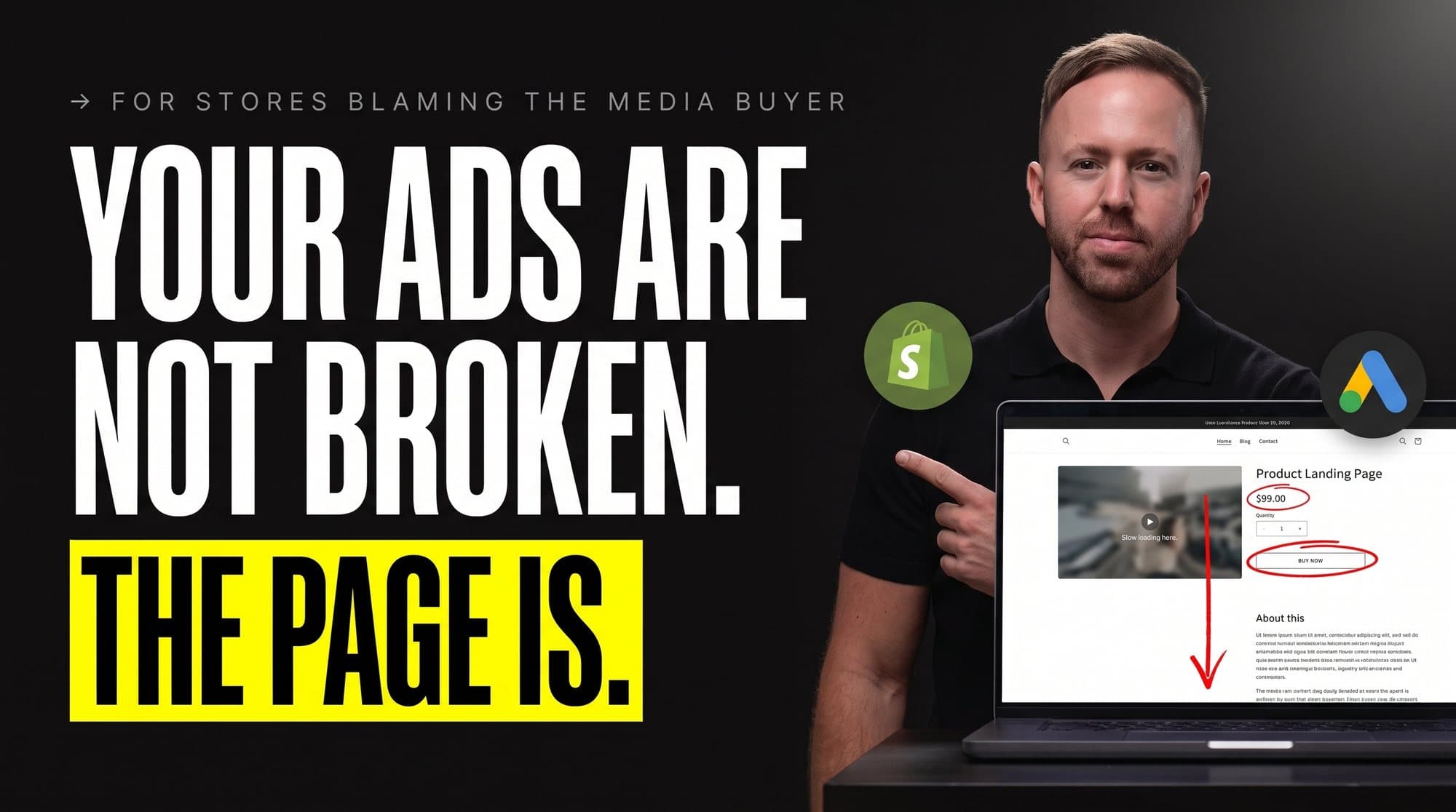
A store sat at 1.9x ROAS for four months while another agency kept rebuilding its Google Ads. New ad groups. Fresh bids. The whole campaign structure torn down and stood back up twice. The number would not move.
We took the account and didn't touch a single campaign in the first week. Three weeks later it ran at 3.4x.
Same ads. Same budget. Same market. We fixed the thing that was broken, and it was never the ads.
Half the accounts that land on my desk show up with that one sentence. Our Google Ads stopped working. So we open the account, and most of the time the campaigns are clean. Sane structure, reasonable bids. The problem's one door over.
There are five of those doors. Here's each one, the mechanic hiding behind it, and the ten-minute check that tells you if it's yours. Run them on your own account tonight. This is the same first hour we run on every account someone swears is dead.
[IMAGE-1: Google Ads account performance view showing the campaign mix and the account-level numbers people often blame first]
Door one is the page, not the account.
That 1.9x store was losing on the product page, and every fix the other agency tried lived inside Google Ads, three feet from the actual hole.
Here's the mechanic nobody prices out. Your conversion rate is the multiplier on every dollar you spend. Pay $1.50 a click and convert at 1%, and each order costs you $150 in ad spend before Google takes another cent. Lift that page to 2% and the same clicks cost $75 an order. You just doubled your ROAS and never opened a campaign. The auction didn't change. The page did.
[IMAGE-2: Google Shopping results for waterproof dog coats showing how query fit, titles, price, ratings, and product presentation shape the click before the landing page loads]
So we walked it like a buyer on a cracked phone screen, not a marketer on a 27-inch monitor. Reviews buried three scrolls down. A bundle that "saved 20%" but never showed the dollars saved. A guarantee parked on a policy page nobody clicks. An add-to-cart button that vanished the second you scrolled past the hero.
We pulled the star rating up next to the title. Turned "save 20%" into "save $18." Put the guarantee badge right under the buy button. Made the add-to-cart stick to the bottom of the screen on mobile, where 70%+ of the traffic sat. Traffic stayed flat. Conversion climbed. That's the whole 1.9x to 3.4x.
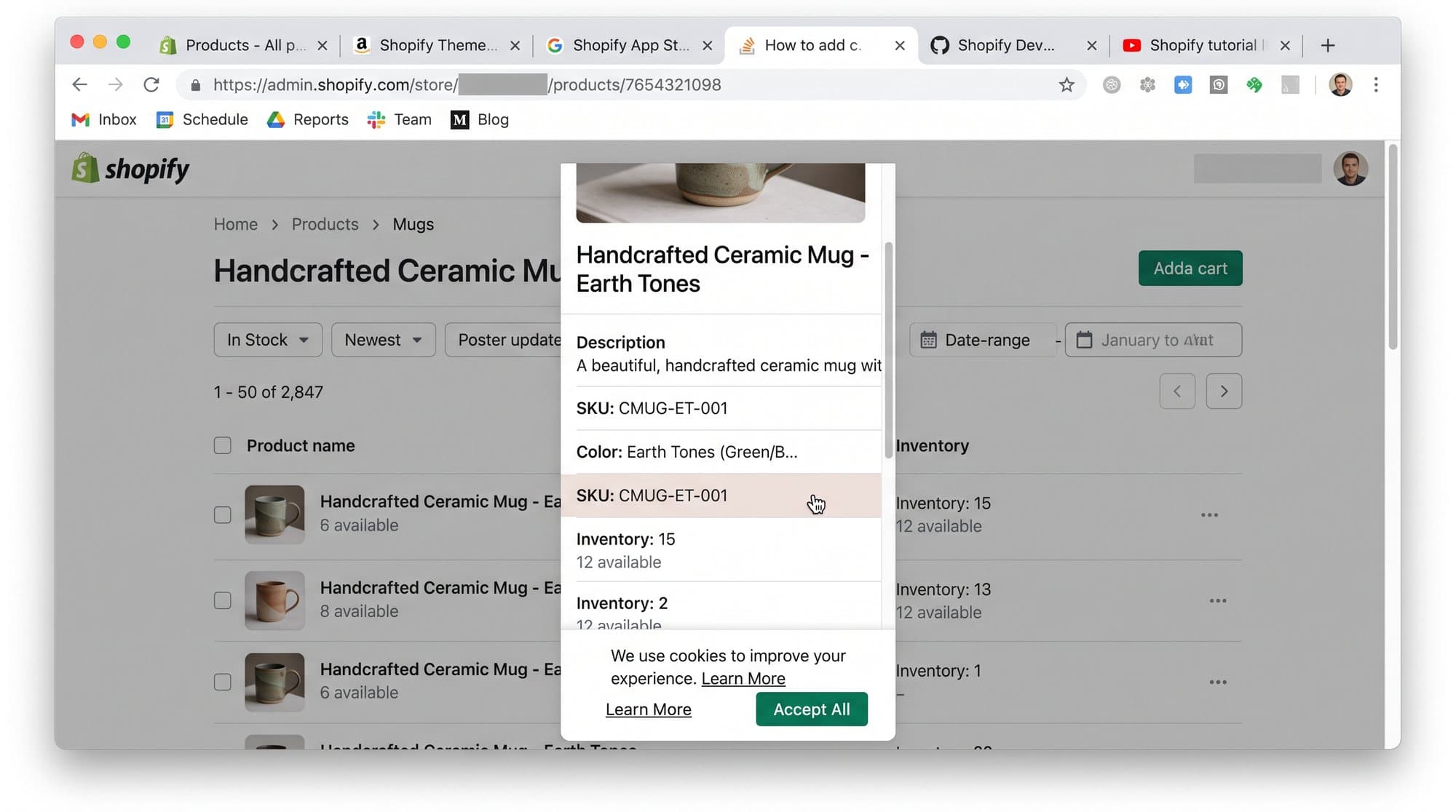
The mistake I watch people make on repeat: they A/B test button colors and headline fonts while their mobile buyers can't find the price without pinch-zooming. You're repainting the walls while the basement fills with water.
→ Ten-minute check: open your best seller on your own phone. Count the scrolls before the price and one real review sit on screen together. More than three and the page is your problem, not the campaign. Then open Microsoft Clarity or GA4 and read the mobile conversion rate on its own. If it's under half your desktop rate, you just found the money.
Door two is the tracking, and it lies to your face.
An account we picked up dropped 40% overnight, and everyone in the room blamed the ads. It was a Shopify app update that stripped the purchase tag off the thank-you page. The campaigns were fine. The data going back to Google went blind, and Smart Bidding flew nine days with no instruments.
Here's why that's fatal and not just annoying. tROAS, tCPA, Maximize Conversions, all of Smart Bidding runs on the conversions you feed it. Cut that feed and the algorithm doesn't stop and ask. It reads the silence as performance falling off a cliff and hauls your spend back, or it keeps bidding into the dark and burns budget on nothing. When tracking breaks, Google never emails you. It keeps making worse calls with total confidence.
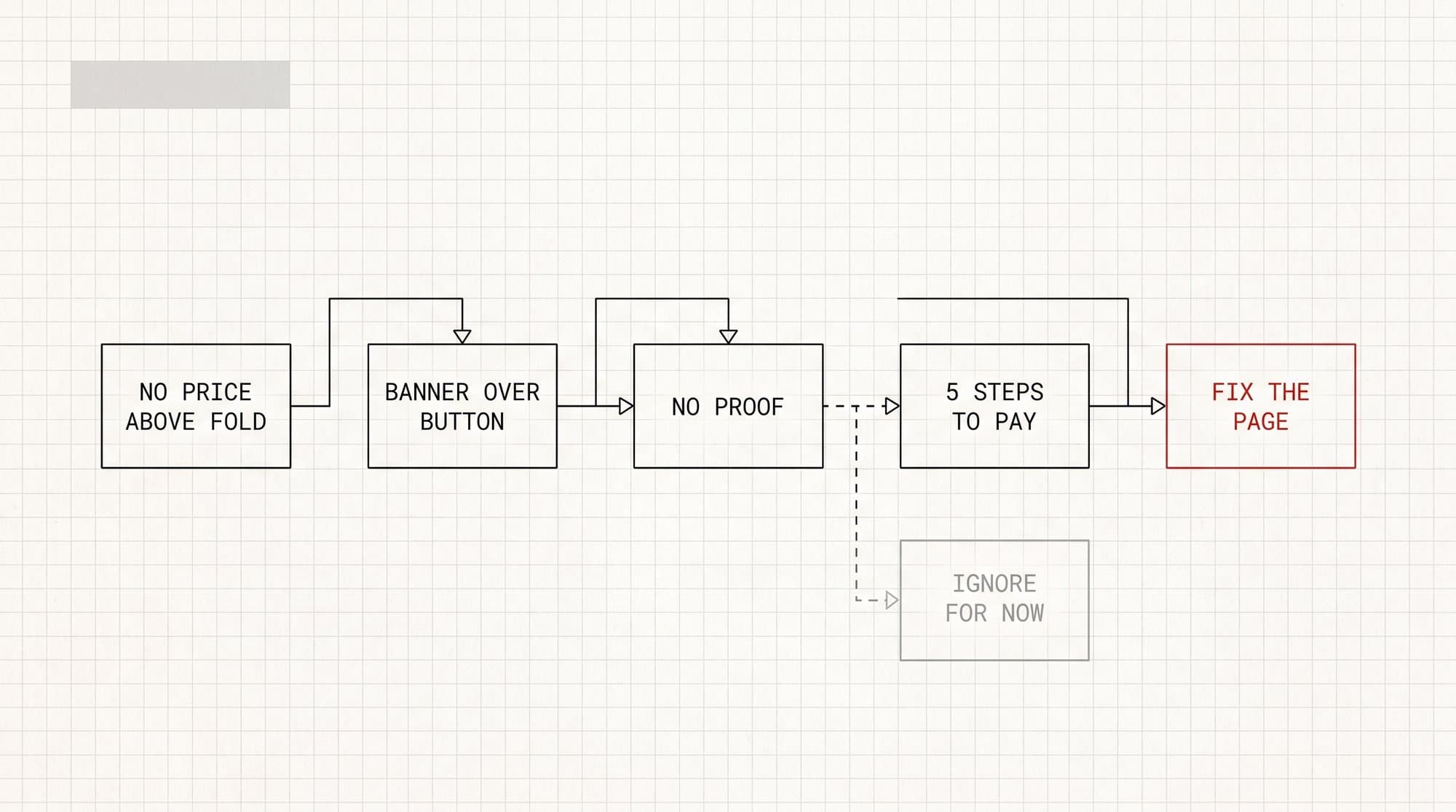
The usual suspects, in the order I check them: a theme or app update that drops the conversion tag, a checkout change that breaks the GA4 purchase event, Enhanced Conversions switched off by a "cleanup," and Consent Mode v2 misfiring so half your EU conversions never get modeled. Any one of them puts a quiet lid on the whole account.
→ Ten-minute check: put GA4 purchases next to Shopify orders for the same day and time zone. More than 10% apart and your bidding runs on bad fuel. Then open Google Ads, Goals, Conversions, and read the recorded time on recent conversions. A flat line where there used to be a pulse means the tag died and nobody caught it.
Door three is the feed, and it makes no sound.
A catalog re-import dropped the GTINs off a batch of products, and 183 of them went dark in Merchant Center.
[IMAGE-3: Shopify product editor with the barcode and GTIN field empty, placing the feed break at the product source]
Disapproved. Unservable. No email, no banner, no red number anywhere you'd look on a normal morning.
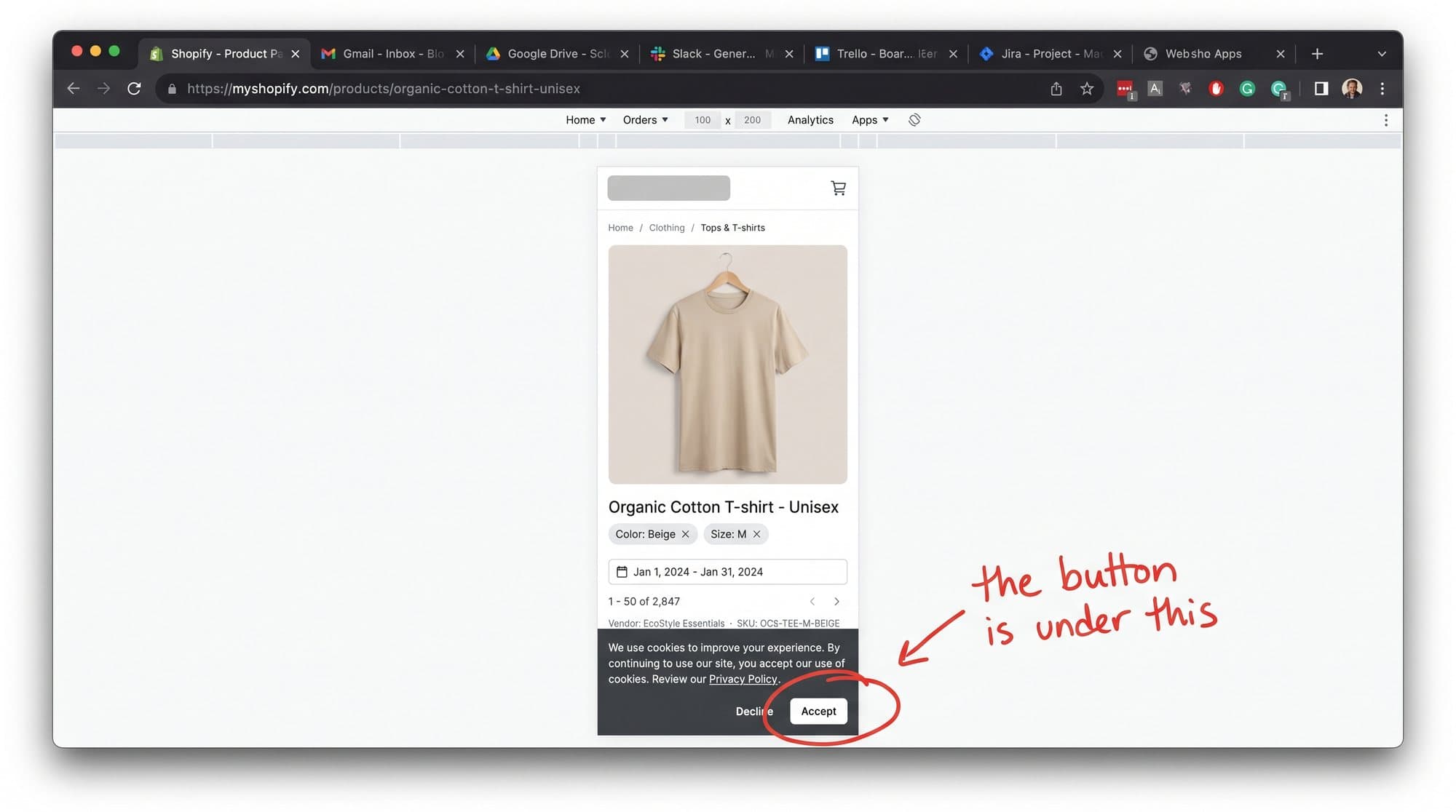
Shopping and Performance Max serve straight off that feed. A disapproved product can't show, and a product that can't show earns nothing. Here's the cruel part: Shopping campaigns don't scream when items fall out. They serve the survivors, spend the same budget across a thinner catalog, and the blended number moves almost nothing while your best sellers sit benched.
The disapprovals I find most: missing GTIN, a price mismatch where the feed says $50 and the landing page says $45, image policy flags, and stale availability where the feed still says in stock on something you sold out of last week. Feeds rot. Prices move, inventory syncs hiccup, one re-import strips an attribute, and three weeks later you're down five figures a year and blaming your media buyer.
Thirty minutes of feed cleanup on that account brought back around $6.1k a month in Shopping revenue that was there the whole time, switched off.
→ Ten-minute check: Merchant Center, Products, Diagnostics. Filter to disapproved and "needs attention." If you've never opened that tab, open it today. It's the highest dollar-per-minute move in this entire email, and it costs you one click.
[IMAGE-4: Merchant Center product table with active, limited, and disapproved items plus the exact issue on each row]
" or "Mismatched value [price]". True Google UI, product titles blurred.]
Door four hides after checkout, which is why nobody staring at ads ever finds it.
A store can lose money on the first order and still run away with the year, as long as the second order shows up. This is the door that decides who owns a whole category.
Run the math with me. If a customer is worth $60 on the first order and another $60 over the next 90 days, your real acquisition budget is $120, not $60. Now you're bidding against a competitor who only reads first-order ROAS and caps himself at $60. You outbid him on every click that matters and still come out ahead, because you know the second order is coming and he doesn't. Retention isn't a nice-to-have downstream of the ads. It sets your ceiling in the auction.
When repeat revenue works, weak first-order ROAS is fine and even smart. When it doesn't, your ads carry the entire business on their back and everyone calls them broken. The leak sits in the post-purchase flow, the email and SMS nobody built, the second-order nudge that never fires. Klaviyo flows dark, no win-back, no replenishment reminder on a product people are meant to reorder every month.
→ Ten-minute check: Shopify, Analytics, returning customer rate for this month. Under 15% on something consumable and your leak is after the sale, not before it. While you're there, pull the 30, 60 and 90 day repeat curve. Flat after order one and no amount of bid tuning saves a business that forgets its own customers.
Door five is the sneaky one, because the numbers look great.
An account came to us reporting 4.2x from its old agency. The bank statement said 2.1x. Both were real. The gap was brand.
Here's what was running under the headline. People who already know the store type its name into Google, land on a brand ad, and buy the thing they'd decided on before they opened the browser. That traffic converts at 20% to 40% and costs pennies a click, so it posts a monster ROAS. The other agency blended those brand conversions into one number and reported the average. The blend looked like a hero. The non-brand number, the one that pulls new customers into the business, sat closer to half of it.
Brand campaigns aren't evil. Sometimes a competitor bids on your name and you defend it. But blending brand into your headline ROAS is how an account looks healthy for a year while new-customer growth flatlines, and you don't see it until you try to scale and the whole thing folds.
→ Ten-minute check: ask whoever runs your ads what ROAS looks like with brand campaigns pulled out. If the answer takes more than a minute, the pause is your answer. Then in Google Ads, segment the search terms and split anything with your store name in it. Read non-brand ROAS on its own. That's the real number your business runs on.
[IMAGE-5: Google Ads search-terms report sorted by cost, showing the queries that spent money and the rows that produced value]
Now the order to run them in.
If you've got one hour, don't go one through five. Go by dollars per minute.
Feed first. Thirty minutes, and it's the one hiding whole products from the auction. Tracking second, because a blind account gets worse every day you leave it running. Brand split third, so you know your real number before you make a single call. Page fourth, the biggest lift but the one that takes real work. Retention last, not because it matters least, but because it's the longest horizon and you can't fix a 90-day curve tonight.
That's the exact sequence we run on every "dead" account before we touch one campaign. Most of the time the ads walk out innocent, and the real culprit was sitting one door over the whole time.
Google Ads is the easiest thing in the business to blame, because it's the only part with a dashboard you stare at every morning. The page, the tag, the feed, the follow-up, the brand blend, none of them light up a screen to guilt you at 9am. So they rot in the dark while the ads take the heat for all of it.
[IMAGE-6: Google Ads Recommendations screen with auto-apply controls exposed, showing why a platform suggestion still needs an operator decision]
Which door are you least sure about right now? Open that one first.